
ESSEX COUNTY 50SC
IT SECURITY ALERT
PHISHING DETECTION & RESPONSE GUIDE
Your vigilance protects our network.
Use this quick checklist to spot and report suspicious emails immediately. If you are ever uncertain, do not click—report the email to IT right away.
⚠️ KEY INDICATORS TO OBSERVE
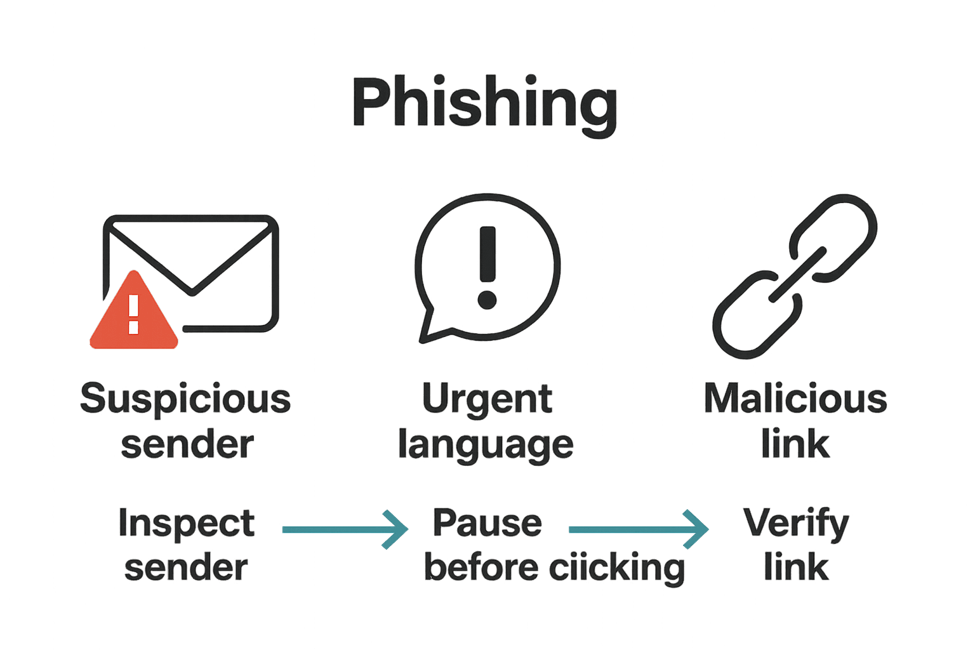
- ? Suspicious Senders & Domain Discrepancies
- The sender’s display name looks familiar, but the email address domain is strange or misspelled (e.g., invoice@wbmazon.com instead of @wbmason.com).
- External sender warnings appear on messages claiming to be internal.
- ⏳ Urgent, Threatening, or Fear-Based Language
- Messages demanding immediate action (e.g., "Respond within 24 hours"), threatening penalties, or triggering sudden pop-up warnings.
- ? Deceptive Links & Unexpected Attachments
- Hyperlinks whose destination URL does not match the link text (always hover to preview links before clicking).
- Unsolicited attachments, especially .pdf, .zip, .iso, .html, .xlsm (Excel add-ins), or OneNote files.
- ? Unusual Requests & Generic Messaging
- Requests for credentials, passwords, direct payments, or software installations outside established procedures.
- Generic salutations, out-of-context purchase orders, or unusual replies inserted into old email threads ("thread hijacking").
- Emails containing only an image or prompting you to call a support/callback phone number.
? RECENT EXAMPLES REPORTED AT ESSEX COUNTY
- ? Holiday E-cards from unknown external senders.
- ? Misrouted Purchase Orders sent to wrong departments (always verify with Fiscal).
- ⚠️ Fake Compliance/Training Demands enforcing strict 24-hour deadlines.
- ? Image-Only Callback Scams telling users to call a phone number for "Microsoft Assistance."
- ? Credential Harvesting asking for your username/password to "view a report."
✅ RECOMMENDED RESPONSE ACTIONS
- PAUSE & DO NOT ENGAGE
Do not click links, open attachments, or call phone numbers listed in suspicious emails.
- REPORT IMMEDIATELY
Use Outlook’s "Report Suspicious" button or submit an IT support ticket with the full email attached.
- VERIFY OUT-OF-BAND
Confirm unusual business or financial requests through a known secondary channel (phone or Teams) using verified internal contact details.
- IF YOU CLICKED OR ENTERED CREDENTIALS:
- Disconnect your device from the network (unplug Ethernet / turn off Wi-Fi).
- Notify IT/Security immediately.
- Change your password and ensure Multi-Factor Authentication (MFA) is enabled.
? NEED HELP OR NEED TO REPORT?
Contact the IT Help Desk immediately via your standard ticket portal or phone extension.
Was this article helpful?
That’s Great!
Thank you for your feedback
Sorry! We couldn't be helpful
Thank you for your feedback
Feedback sent
We appreciate your effort and will try to fix the article